




Tomorrow’s Tech, Today: Innovation That Moves Us Forward
- Server migration: moving files, applications, emails, databases, and configurations to a new server with minimal interruption.
- Benefits: enhanced performance, cost savings with Google Cloud or AWS, stronger security, automated backups, and easier maintenance.
- Common challenges include downtime, data loss, compatibility problems, unexpected expenses, complexity, and security risks.
- Follow clear steps: Planning, full Backup, prepare new server, transfer data, configure, Testing, then go live.
- Use migration tools like AWS MGN, Azure Migrate, Google Cloud Migrate, and utilities Robocopy and rsync.
Want to shift your databases from one server to another? But don’t know how? Don’t worry! In this blog, you will learn what is server migration, its benefits, and its importance. Along with this, I’ll show you the steps used for server migration and the tools that will help you smooth this process. Let’s start!
Server Migration Meaning
You can understand the meaning of server migration by simply separating the words. Here, server means browser, and migration means shifting; they together become shifting from one server to another.
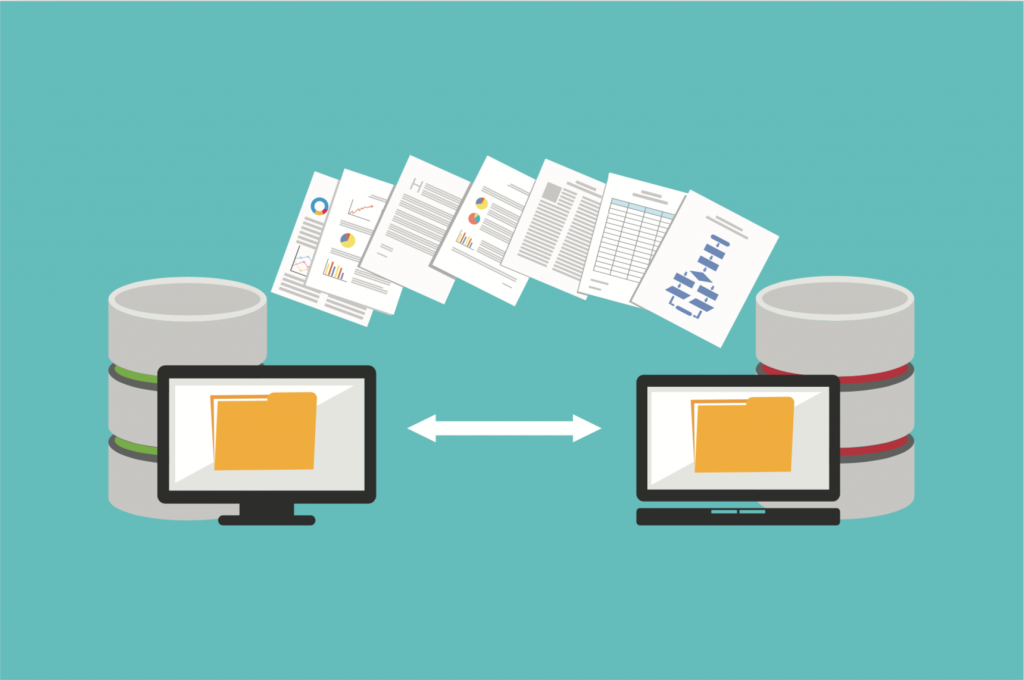
In simple words, the process of moving files, applications, emails, and databases from one server to another is called server migration. It is like changing an older mobile phone with a newer one. It is the same as if you transfer all your photos, videos, and documents to the new mobile. However, for server migration, it is not just about copying and pasting the files, but it is used for transferring complete database, which includes user accounts, configuration files, and security settings. Server Migration aims to switch to a new server with minimal or no interruption for a smooth transfer process.
Benefits of Server Migration
It is like shifting from an older house to a newer one with updated facilities. Server migration helps in adapting to new technologies and ensures the smooth running of the functions. Let me tell you some of the key benefits of server migration.
- Performance enhancement: As the older server slows over time, upgrading to a newer version will help increase performance. This results in faster app loading and more memory.
- Cost reduction: The old server needs regular maintenance and repair, which increases the investment cost. New cloud servers like Google Cloud and AWS provide you with the facility of paying only for what you use. It cuts infrastructure costs by up to 40%.
- Increased security: The updated server provides better security than the older ones. It helps with data encryption, virus scanning, and firewalls. It reduced the risk of hacking and data loss.
- Updated technology: The new version of the servers provides automatic backups and quick recovery of the data, as older versions crash more often than the latest versions.
- Smarter maintenance: Many new providers come with automated systems that don’t need frequent updates. This means less time wasted on updating and fixing the old hardware problems.
- Improve Business value: These new servers are made based on the newer government rules and regulations. It helps in meeting the government rules and policies.
Challenges in Migrating the Server
Migrating the server looks easy, but it is a challenging process. These are some of the biggest and most frequent challenges faced by the users.
- Website’s Downtime: When all the database and security configurations are being moved from one server to another, it slows down the website. This results in a website or app crash. For e-commerce businesses, a short downtime can cause customer and financial loss.
- Data Loss: While moving a large set of data, records, and documents, some of the data and information can get damaged or lost. It is very risky for customers or finance-based companies.
- Compatibility Issue: One software, website, or application that was working perfectly on the older server may not be compatible with the newer version.
- Expenses: You may need to pay more than expected based on the data transfer fees, expert help, time required, and tools.
- Complexity: Shifting everything without damaging any connection is very risky, as the server is made using many connected parts like databases, user logins, security, and emails.
- Security: While migrating, hackers can steal your data if you are not using proper protection and security encryption.
- Insufficient Planning: Many people waste huge amounts of money because of mistakes and delays. A person needs to understand the time, money, and other expertise required to execute a proper implementation.
- Testing: Once everything is completed, the final step required is testing. This is needed to find and fix the issues for the smoother functioning of the server.
What is the Server Migration Process? Step-by-Step
Let’s understand the step-by-step process of server migration.
Step 1: Planning and assessing
- Cross-check everything present on your older server, like websites, databases, emails, files, and apps.
- Choose what features you are looking for.
- The best time to migrate is usually in the evening or on weekends.
- Make a list of the estimated time and possible risks that you can face.
Step 2: Backup
Complete your backup on your old server. This is an important step so that you can restore everything without leaving anything behind.
Step 3: Prepare your new server
- Purchase and create a new server on the cloud.
- Install the plugin software that will help in configuring your server.
- Customize the settings according to the operating system, software, and security settings.
- Take an overview of the rules, storage, and networking.
Step 4: Transfer the data
- Copy all the database, files, applications, and security settings from the old server.
- Use tools like Robocopy and rsync for migrating the data. This process can take time depending on your file size.
Step 5: Migration and configuration
- Shift your certificates, user accounts, websites, and apps to the new server.
- Update the database based on your new location.
Step 6: Testing
- Test your new server by running your app or website.
- Check if everything is done as you wanted. Run a speed test, login, emails, payments, and other additional features.
- Fix any problems that have occurred before starting to operate the server.
Step 7: Go live
- Switch the traffic from the old server to the new one.
- Use a DNS setting or a load balancer for this. Focus on minimizing the server downtime.
Using these steps effectively and efficiently will help you to onboard to the new server, that too without any problem and data loss.
Server Migration Checklist

Here, in this section, I have mentioned the checklist for every stage of server migration. Check before proceeding.
Phase 1: Planning (Before Migration)
- Make a list of all the data, websites, files, emails, applications, and more from the old server.
- Decide on the new server. It can be Google Cloud, AWS, Azure, and more.
- Check the functionality and compatibility, such as the operating system, version, and hardware requirements.
- Take a full backup of the server and test the backup for any flaws.
- Set up the new server
Phase 2: Migration and Configuration (During Migration)
- Transfer the files, databases, and security settings.
- Sync after the last changes.
Phase 3: Testing
- Test apps and websites on the new server.
- Check the login process, payment, emails, and file loading speed.
- Test the speed and performance of the new server.
- Most important thing! Check the security system of the server.
Phase 4: Live
- Update your old DNS to point to your new server for the customers.
- Send a notification to the team and the customer about the shift.
Phase 5: Post Migration
- Monitor your website for the first 24 hours.
- Check for any issues or missing data.
- Test the speed and resources.
- Update details like passwords, security, and documents.
- Teach your team and customers to use the new server.
- Turn off the old server after 5-7 days of moving to another server.
Server Migration Tools
There are many server migration tools available in the market. I have mentioned some of the best ones for your website or application.
AWS Application Migration Service (AWS MGN)
It is an Amazon tool for automatically transferring the migration of the server and application to AWS. It is easier for beginners. AWS works by regularly replicating the servers. It also helps in running the server efficiently on an AWS server.
Features of AWS
- Built-in testing skills
- Support on both Windows and Linux
- Replication of the server data
- Lesser cutover
Pricing
It provides both free and paid plans. You can enjoy 30 days free trial before getting charged $30 per month.
| Pros | Cons |
|---|---|
| It is useful for medium to large-scale migration. | Expensive for the smaller teams. |
| Helps in transferring data from one server to another with ease. | Need technical experts to configure. |
| Users appreciated its database for complicated applications and websites. | A large volume of data transfer can increase the cost |
Azure Migrate
It is Microsoft’s platform, which is used for assessing, discovering, and migrating the server. It works best for firms using Microsoft or Windows technologies. Some of its key features include:
- Enable depending mapping
- Provides .NET support
- Makes assessment reports
- Has strong Windows support
Pricing
Azure provides various plans. Its basic plan is free forever. You need to request a quote to know the exact price. You can select a customized plan, for which you can pay according to your usage.
| Pros | Cons |
|---|---|
| It offers free server migration. | Less effective for Linux and PHP-based apps. |
| Best for Windows and Microsoft users. | Its interface is technical for a smaller business and requires developer guidance. |
| Pricing based on your usage is the best feature that reduces the cost if not used. | Sometimes lags behind its competitors because of its slow replication. |
Google Cloud Migrate to Virtual Machines
It is a simple and easy-to-use tool that offers free server migration. It is a lift-and-shift tool that enables you to shift to another server with minimal changes to your application. These are some of the key features of Google Cloud Migrate:
- It provides agentless migration.
- Comes with built-in testing, so you can test before going live.
- Provides pre-migration and post-migration features.
Pricing
Google Cloud Migrate provides 300 credits for 90 days; after this, you will be charged. Its migration service is completely free, but you need to pay the fees for the additional resources you avail.
| Pros | Cons |
|---|---|
| It is cost-effective as no money is required for migration if no additional resources are used. | Limited automation features are available. |
| Comes with a simple and easy-to-use interface. | Best for standard VM workload. Need to hire more for extra manual tasks. |
| 90-day free offers with $300 free credit are useful for startups and small businesses. |
Conclusion
In this blog, I have given a detailed overview of your question: What is server migration? Here, we also learn about some of the best affordable and free tools for server migration with their unique features, pros, and cons. Want more information about the tools? Comment below.
Related: What Is Market Intelligence & How Is It a Proven Roadmap For Growth?
FAQs
What is the estimated cost of server migrations?
Server migration costs range from $1,000 to up to $10,000 for a website. However, there are several free tools that you can try to get an affordable price range.
What is server migration?
It is a simple process in which a business or organization transfers its data, emails, documents, and security settings to another server to give a smoother experience to its customers.
Read the full article on the original site
