


Close Menu
Savannah HeraldSavannah Herald
  • Home
  • News
    • Local
    • State
    • National
    • World
    • HBCUs
  • Events
  • Directories
  • Weather
  • Traffic
  • Sports
  • Politics
  • Lifestyle
    • Faith
    • Senior Living
    • Health
    • Travel
    • Beauty
    • Fashion
    • Food
    • Art & Literature
  • Business
    • Real Estate
    • Entertainment
    • Investing
    • Education
  • Guides
    • Juneteenth Guide
    • Black History Savannah
    • MLK Guide Savannah
We're Social
  • Twitter
  • Facebook
  • YouTube

Subscribe to Updates

Get the latest creative news from FooBar about art, design and business.

Trending
  • 50 Cent Hilariously Trolls Diddy and Ja Rule in DoorDash Ad
  • Trumps call for Jimmy Kimmel to be fired over jokes made prior to correspondents’ dinner attack
  • Out of the Rough: Ted Rhodes and His Fight Against Golf’s Color Barrier  – African American Golfer’s Digest
  • When Research Funding Is Cut, Who Really Pays the Price?
  • 5 Must-Attend Events Powering Black Founders This Summer
  • Shaw CIAA Women’s Tennis Championship Streak Hits Eight
  • 🍽️ The Center
  • Black Music Festivals – Black Cruise, Black Travel Groups, African American Travelers love blackcruisetravel.com
Facebook X (Twitter) Instagram YouTube
Login
Savannah HeraldSavannah Herald
  • Home
  • News
    • Local
    • State
    • National
    • World
    • HBCUs
  • Events
  • Directories
  • Weather
  • Traffic
  • Sports
  • Politics
  • Lifestyle
    • Faith
    • Senior Living
    • Health
    • Travel
    • Beauty
    • Fashion
    • Food
    • Art & Literature
  • Business
    • Real Estate
    • Entertainment
    • Investing
    • Education
  • Guides
    • Juneteenth Guide
    • Black History Savannah
    • MLK Guide Savannah
Savannah HeraldSavannah Herald
Home » New Android 16 QPR1 Beta Update is a Bug Fixing Monster
Tech

New Android 16 QPR1 Beta Update is a Bug Fixing Monster

Savannah HeraldBy Savannah HeraldSeptember 3, 20255 Mins Read
Facebook Twitter Pinterest LinkedIn WhatsApp Reddit Tumblr Email
New Android 16 QPR1 Beta Update is a Bug Fixing Monster
Share
Facebook Twitter LinkedIn Pinterest Email

Tomorrow’s Tech, Today: Innovation That Moves Us Forward

Key takeaways
  • Android 16 QPR1 3.1 released as build BP31.250610.009, available for all supported Pixel devices.
  • Fixes for multiple causes of unexpected device restarts and crashes, including OTA and update-related failures.
  • Resolved numerous UI problems: misaligned Quick Settings, status bar inconsistencies, notification overlap, and missing home screen elements.
  • Stability and audio fixes: Bluetooth crash resolutions, corrected call audio transitions, and audio buffer memory corruption fixes.
  • Improved sensor, media, and widget reliability: Context Hub memory leaks, lock-screen media glitches, widget loading, and media transfer crashes.

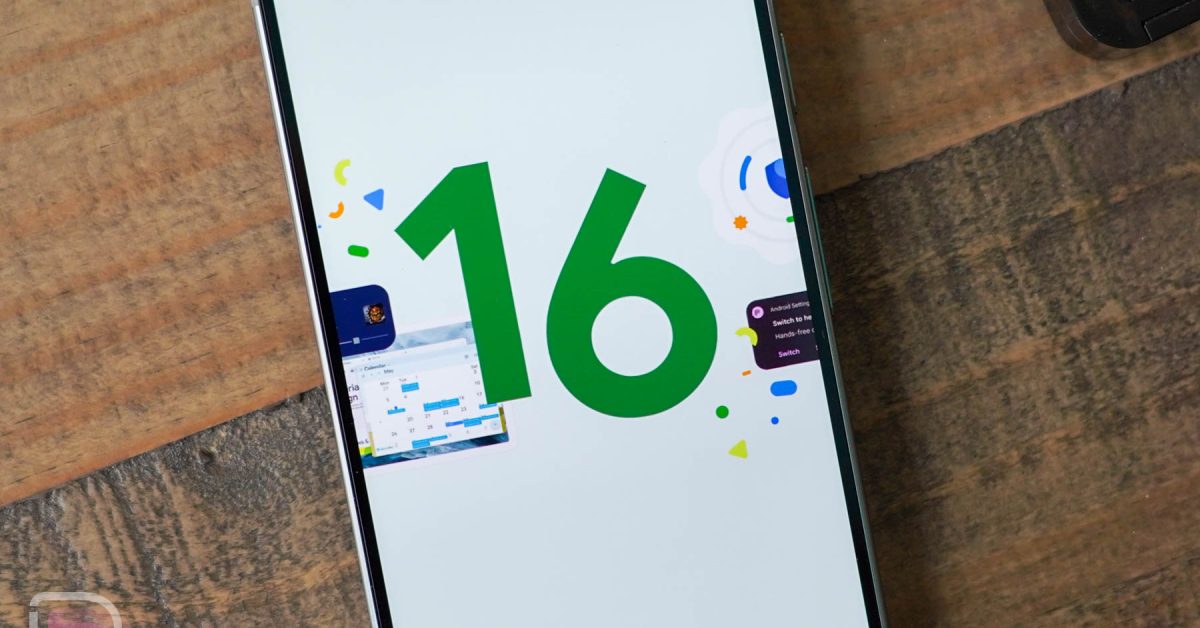
Google gave us the Android 16 QPR1 Beta 3 update a month ago and there were a handful of bugs to squash from the previous beta. Today, Google released the QPR1 3.1 update and the list of bugs fixed stretches to 20+. For what should be a smallish update, this one seems quite large in terms of issues addressed. This will be an update to grab on your Pixel device as quickly as you can.

Android 16 QPR1 3.1 update for Pixel: Google dropped this new Android 16 QPR1 3.1 update as build BP31.250610.009 for all phones, plus BP31.250610.009.A1 for the Pixel Tablet. Like with previous releases, this new QPR1 update is available for the Pixel 6 and 6 Pro, Pixel 6a, Pixel 7 and 7 Pro, Pixel 7a, Pixel Fold, Pixel Tablet, Pixel 8 and 8 Pro, Pixel 8a, Pixel 9, 9 Pro, 9 Pro XL, 9 Pro Fold, and Pixel 9a. Those are the still-supported devices from Google, so that’s not a surprise.

The update is available immediately in factory image and OTA file formats and should arrive over-the-air at any moment (Update: it’s live) for those in the Android Beta Program. The over-the-air update weighs in at 65MB on my Pixel 9 Pro.

Android 16 QPR1 3.1 update bug fixes: As for fixes, the full list has been included below and it is a big one. Google took care of several bugs that caused unexpected device restarts, Bluetooth crashes, several UI issues from the status bar to Quick Settings to the bottom row of apps on the home screen, and so much more. I highly recommend you read through the list if you were having issues on the previous QPR1 beta.

  • Device instability or reboots related to Wi-Fi by improving how the system processes network statistics. (Issue #433037402, Issue #432867183, Issue #433418936, Issue #432795362, Issue #432770117, Issue #432699126, Issue #435489862, Issue #435011484)
  • The Context Hub, a low-power sensor component, would crash due to excessive use of main memory, causing device instability; resolved by optimizing memory allocation and preventing memory leaks. ( Issue #420999948, Issue #426316038)
  • The home screen sometimes lost its bottom row of pinned apps and the search bar, making them inaccessible; this was fixed by adjusting how these elements reappear after screen transitions. (Issue #428088033, Issue #428405658, Issue #429817851)
  • Notifications would overlap in the shade, hindering readability, by refining the notification display and dismissal animation logic. (Issue #421792538, Issue #422749237, Issue #420418750, Issue #428896474)
  • An issue that caused unexpected device restarts. (Issue #427676713)
  • The Quick Settings UI on unfolded foldable devices appeared clipped or misaligned due to incorrect padding caused by double-counting the camera cutout. (Issue #419184923, Issue #421879049, Issue #421810067, Issue #423172198, Issue #422560004, Issue #424116279)
  • An issue that caused devices to unexpectedly reboot. (Issue #408888279, Issue #409949346, Issue #409960197, Issue #410624610, Issue #407373090, Issue #430095518)
  • The status bar appearing in the Quick Settings shade was sometimes misaligned with the standard status bar, causing a visual inconsistency. (Issue #419573315, Issue #419134909, Issue #432794874)
  • Addressed a system hang or crash, particularly during unlock, caused by the camera’s Ambient Light Sensor (ALS) read getting stuck, by implementing a non-blocking method for sensor data retrieval. (Issue #421870862, Issue #420725698)
  • The media player on the lock screen would sometimes disappear or become unresponsive. (Issue #420517884)
  • An issue where the notification shade displayed a large, growing gap, obscuring notifications, by correcting how notification animations were clipped. (Issue #421366916)
  • An issue where the media player notification could appear clipped or disappear during device rotation, by improving how its display area is sized and updated in UI transitions. (Issue #433040374)
  • Video calls initiated from voice calls no longer experience muted audio; a system audio fix now correctly manages sound output during call type transitions. (Issue #434139133, Issue #427060263, Issue #438414975)
  • An issue where black translucent bars appeared at the top and bottom of the home screen after exiting full-screen apps by correcting how transient system bar states were cleared. (Issue #425407737, Issue #433929827)
  • An issue that caused the device to unexpectedly crash and restart during an OTA update.
  • An issue causing occasional device restarts after system updates.
  • Widgets on the home screen sometimes failed to load due to looking for outdated app files.
  • Typing occasionally stopped working in apps because internal input system processes could race.
  • Device crashes caused by the Context Hub running out of memory.
  • Bluetooth crashes and instability caused by an “Unimplemented Packet Type” error have been resolved.
  • [RG5][BD1A.250219.006]Unable to handle kernel paging request, PC is at edgetpu_kci_release_vmbox, LR is at edgetpu_kci_release_vmbox
  • An issue that could cause phone disconnections or system crashes during calls by resolving a memory corruption bug in audio data buffer handling related to audio playback speed changes.
  • A brief screen flicker happened when launching apps from the notification shade.
  • A system crash that could occur when using your device’s media features, especially when connected to a computer for media transfer, by improving the internal handling of media connection resources.

To check for the update, head into Settings>System>Software updates>System update.

// Google

Read the full article on the original site


AI and Machine Learning Black Technologists Cybersecurity News Digital Innovation Emerging Technologies Future of Work Gadget Reviews Innovation in Education Minorities in Tech Silicon Valley Updates Smart Devices Software Development Startup News STEM News Tech Culture Tech Equity Tech for Good Tech Industry Updates Tech Trends Technology News
Share. Facebook Twitter Pinterest LinkedIn WhatsApp Reddit Tumblr Email
Savannah Herald
  • Website

Related Posts

Tech April 28, 2026

5 Must-Attend Events Powering Black Founders This Summer

Tech April 27, 2026

The unraveling of Dan Crenshaw

Tech April 26, 2026

Elon Musk’s XChat App Arrives On iPhone And iPad

Tech April 25, 2026

Best Apps for Focus (2026): Focus Friend, Forest, Focus Traveller

Tech April 25, 2026

Bank robber’s cellphone gave him away; now Supreme Court hears his case

Tech April 24, 2026

Google Workspace + JumpCloud: Unify IT, Slash Complexity

Comments are closed.

Don't Miss
World November 1, 2025By The Associated Press06 Mins Read

Syrian pressures that dealt with Druze militias leave Sweida district under a ceasefire: NPR

November 1, 2025

NPR Update: Israeli soldiers stand guard as Syrian Druze individuals go across back right into…

WalletHub says these are the best states for retirees in 2026

February 1, 2026

Public Notification|Ft Stewart Controlled Burns

August 28, 2025

Where were the most affordable locations to fill out on midgrade gas in cities in McIntosh Area in week finishing May 17?

February 28, 2026

Inside My Aussie Challenge – An Unstoppable Journey

November 16, 2025
Archives
  • April 2026
  • March 2026
  • February 2026
  • January 2026
  • December 2025
  • November 2025
  • October 2025
  • September 2025
  • August 2025
  • July 2025
  • June 2025
  • May 2025
  • April 2025
  • March 2025
  • February 2025
  • January 2025
  • December 2024
Categories
  • Art & Literature
  • Beauty
  • Black History
  • Business
  • Climate
  • Education
  • Employment
  • Entertainment
  • Faith
  • Fashion
  • Food
  • Gaming
  • Georgia Politics
  • HBCUs
  • Health
  • Health Inspections
  • Home & Garden
  • Investing
  • Local
  • Lowcountry News
  • National
  • National Opinion
  • News
  • Obituaries
  • Politics
  • Real Estate
  • Science
  • Senior Living
  • Sports
  • SSU Homecoming 2024
  • State
  • Tech
  • Transportation
  • Travel
  • World
Savannah Herald Newsletter

Subscribe to Updates

A round up interesting pic’s, post and articles in the C-Port and around the world.

About Us
About Us

The Savannah Herald is your trusted source for the pulse of Coastal Georgia and the Low County of South Carolina. We're committed to delivering timely news that resonates with the African American community.

From local politics to business developments, we're here to keep you informed and engaged. Our mission is to amplify the voices and stories that matter, shining a light on our collective experiences and achievements.
We cover:
🏛️ Politics
💼 Business
🎭 Entertainment
🏀 Sports
🩺 Health
💻 Technology
Savannah Herald: Savannah's Black Voice 💪🏾

Our Picks

Ms. Melissa N. Simmons's Obituary

December 24, 2025

US appeals court rules Trump’s foreign tariff campaign is largely illegal | Donald Trump News

September 3, 2025

SCCPSS Schools Shine as State School Superintendent Honors Student Success

April 11, 2026

Deborah Farmer Kris: How Awe Helps Us Flourish

November 25, 2025

HBR’s Best Practices for Supporting Employee Mental Health

August 28, 2025
Categories
  • Art & Literature
  • Beauty
  • Black History
  • Business
  • Climate
  • Education
  • Employment
  • Entertainment
  • Faith
  • Fashion
  • Food
  • Gaming
  • Georgia Politics
  • HBCUs
  • Health
  • Health Inspections
  • Home & Garden
  • Investing
  • Local
  • Lowcountry News
  • National
  • National Opinion
  • News
  • Obituaries
  • Politics
  • Real Estate
  • Science
  • Senior Living
  • Sports
  • SSU Homecoming 2024
  • State
  • Tech
  • Transportation
  • Travel
  • World
  • Privacy Policies
  • Disclaimers
  • Terms and Conditions
  • About Us
  • Contact Us
  • Opt-Out Preferences
  • Accessibility Statement
Copyright © 2002-2026 Savannahherald.com All Rights Reserved. A Veteran-Owned Business

Type above and press Enter to search. Press Esc to cancel.

Manage Consent
To provide the best experiences, we use technologies like cookies to store and/or access device information. Consenting to these technologies will allow us to process data such as browsing behavior or unique IDs on this site. Not consenting or withdrawing consent, may adversely affect certain features and functions.
Functional Always active
The technical storage or access is strictly necessary for the legitimate purpose of enabling the use of a specific service explicitly requested by the subscriber or user, or for the sole purpose of carrying out the transmission of a communication over an electronic communications network.
Preferences
The technical storage or access is necessary for the legitimate purpose of storing preferences that are not requested by the subscriber or user.
Statistics
The technical storage or access that is used exclusively for statistical purposes. The technical storage or access that is used exclusively for anonymous statistical purposes. Without a subpoena, voluntary compliance on the part of your Internet Service Provider, or additional records from a third party, information stored or retrieved for this purpose alone cannot usually be used to identify you.
Marketing
The technical storage or access is required to create user profiles to send advertising, or to track the user on a website or across several websites for similar marketing purposes.
  • Manage options
  • Manage services
  • Manage {vendor_count} vendors
  • Read more about these purposes
View preferences
  • {title}
  • {title}
  • {title}
Ad Blocker Enabled!
Ad Blocker Enabled!
Our website is made possible by displaying online advertisements to our visitors. Please support us by disabling your Ad Blocker.

Sign In or Register

Welcome Back!

Login below or Register Now.

Lost password?

Register Now!

Already registered? Login.

A password will be e-mailed to you.